Coming Soon to the App Store

Your voice.
Quickly typed.
Intelligently corrected.

MyAIDictation is the iOS keyboard that transcribes your voice with Groq, fixes typos with on-device neural autocorrect, and predicts your next word using a 200K-bigram language model.

Coming Soon — $4.99 See Features

Plus a free Groq API key for voice transcription.

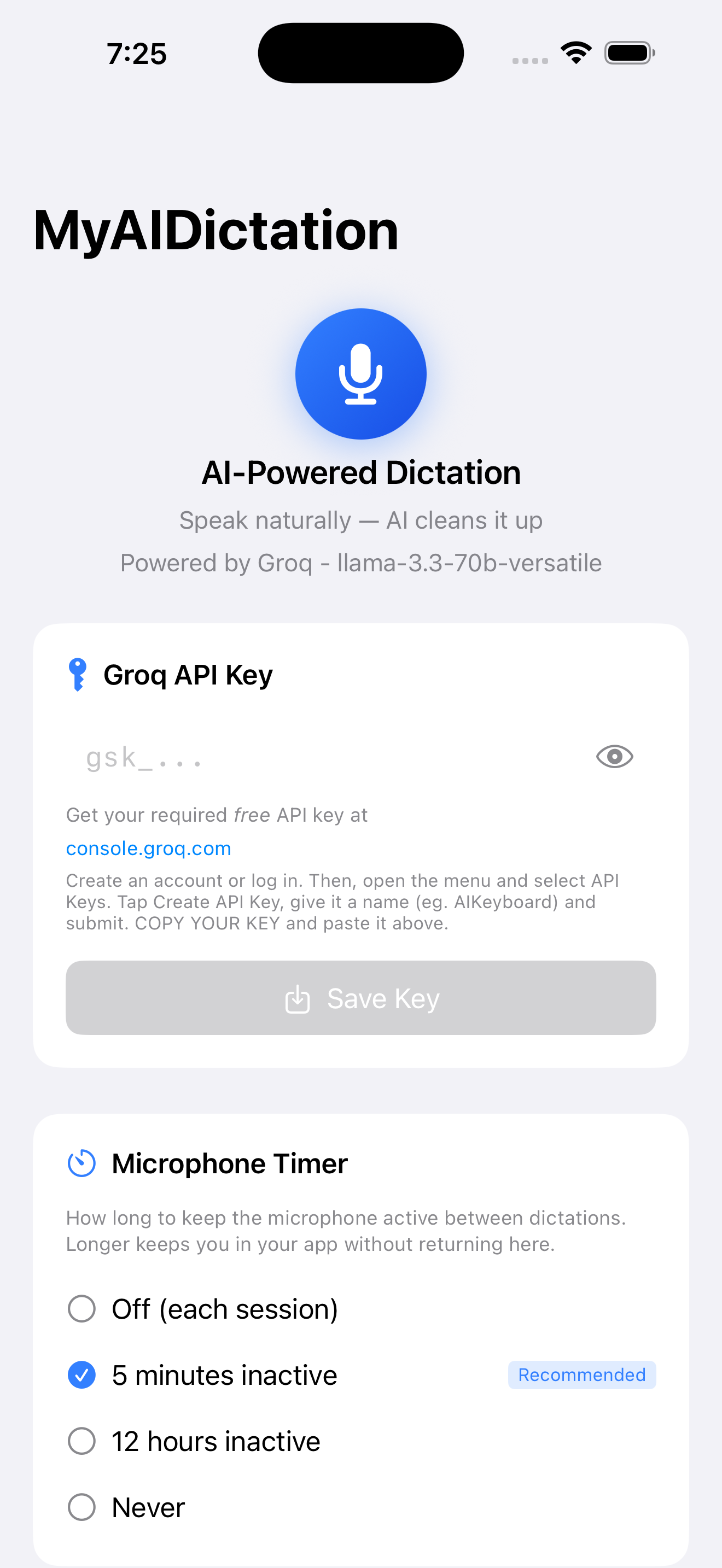
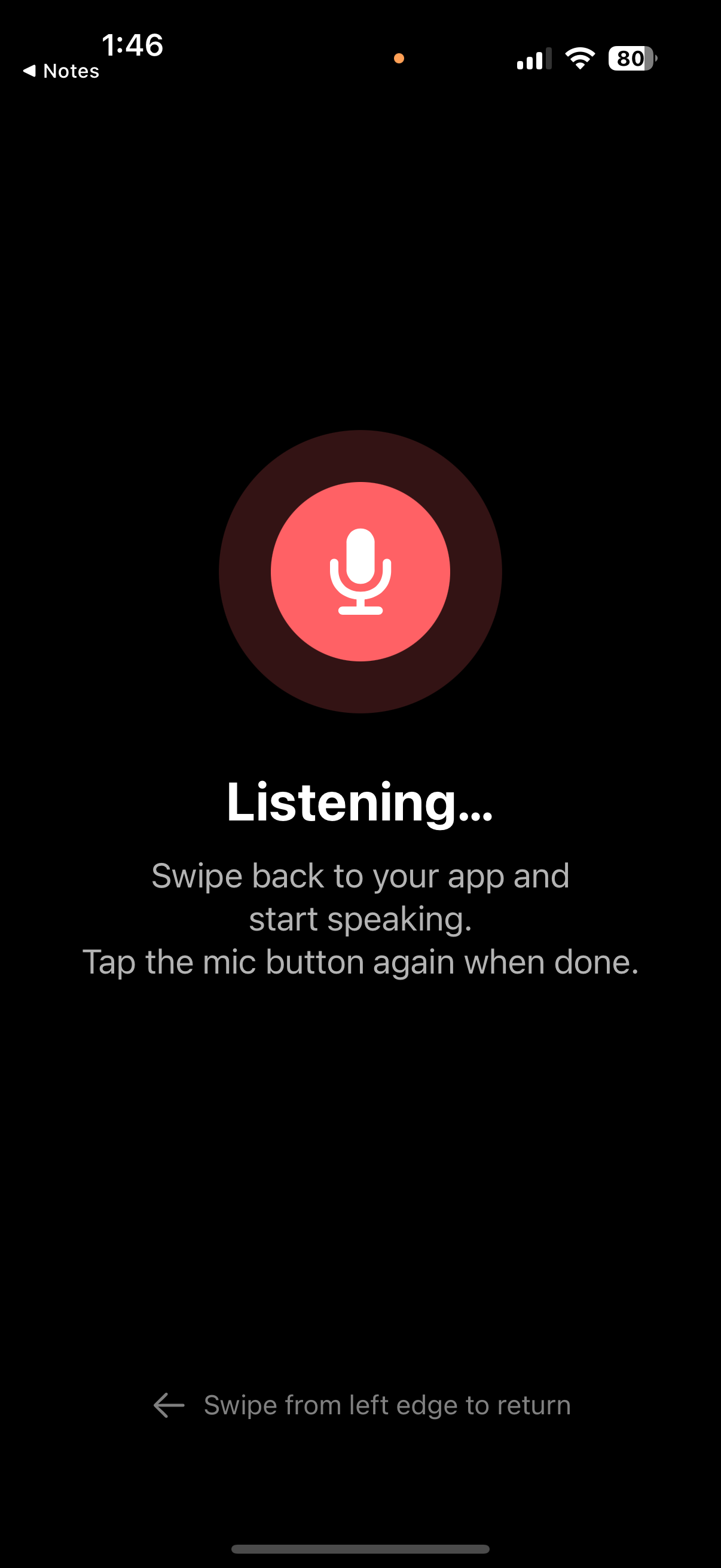
MyAIDictation app setup screen MyAIDictation listening for voice input

Smarter typing starts here

MyAIDictation combines voice transcription, neural autocorrect, and context-aware word prediction into one seamless keyboard.

🎙️

Fast Voice Transcription

Tap the mic and speak naturally. Audio is sent over secure HTTPS to Groq's Whisper API and cleaned up with Llama 3.3 — punctuation and capitalization handled automatically.

Neural Autocorrect

A custom-trained neural network reranks correction candidates based on context, so "their" vs "there" is decided by what you actually meant — not just proximity on the keyboard.

🔮

Context-Aware Predictions

Powered by a 200,000-bigram language model, the keyboard suggests your next word based on what you've already typed — not just frequency.

⚡️

Instant Response

Every keystroke response is optimized for speed. The on-device language model responds in milliseconds so typing never feels sluggish.

🔒

On-Device Autocorrect

Typo correction and word prediction run entirely on your device using a custom neural model and a 200K-bigram language model. Your typing never leaves your phone.

🌐

Works Everywhere

MyAIDictation works in any app — Messages, Mail, Notes, social media, and more. Set it once as your default keyboard and forget it.

Set up in about two minutes

Getting started takes a few quick steps. You'll need a free Groq API key to power the voice transcription — no Groq account is required for autocorrect or word prediction.

Install the App

Download MyAIDictation from the App Store for $4.99 (one-time, no subscription). Works with any iPhone running iOS 26.2 or later.

Get a Free Groq API Key

Visit console.groq.com and create a free account. Open the menu, select API Keys, tap Create API Key, name it (e.g. AIKeyboard), and copy it.

Paste & Save Your Key

Open the MyAIDictation app and paste your key into the Groq API Key field. Tap Save Key. Your key stays on your device — we never see it.

Enable the Keyboard

Go to Settings → General → Keyboard → Keyboards → Add New Keyboard, and select MyAIDictation. Grant Full Access so the keyboard can send audio to Groq for transcription.

Speak & Type

Tap the globe icon to switch to MyAIDictation in any app. Tap the blue microphone to dictate, or type normally and let the on-device AI handle corrections and predictions.

Honest about what stays on your device — and what doesn't.

We believe in transparency. Here's exactly how MyAIDictation handles your data, with no marketing spin.

  • Autocorrect and word prediction run 100% on-device using CoreML — your keystrokes never leave your phone
  • Voice dictation audio is sent over encrypted HTTPS (TLS 1.2+) to Groq for transcription — processed and not stored by us
  • No keylogging, no behavioral analytics, no advertising identifiers
  • No account or sign-in ever required
  • Full Access is used only for the network call that powers voice transcription — nothing else
🛡️

No Data Harvesting

MyAIDictation builds no behavioral profile, runs no ad targeting, and shares nothing with third parties beyond the transcription request itself.

Get Started

Ready to type smarter?

MyAIDictation is launching soon on the App Store for $4.99. One-time purchase — no subscription, no account.
Plus a free Groq API key for voice transcription.

Coming Soon — $4.99

Requires iOS 26.2 or later · iPhone